> For the complete documentation index, see [llms.txt](https://docs.labatlas.com/llms.txt). Markdown versions of documentation pages are available by appending `.md` to page URLs; this page is available as [Markdown](https://docs.labatlas.com/using-lab-atlas/tasks.md).
# Tasks
Tracking and delegating work across projects, studies, and assays
Tasks are Lab Atlas's to-do list. They let you break work into steps, hand a step to a colleague, set a deadline, and — where it matters — capture data at the moment the work is signed off.
A task always belongs to a **project**, a **study**, or an **assay**. That parent decides who can see the task, since a task inherits the visibility of the record it hangs from.
The tasks page
## The Tasks page
Click **Tasks** in the sidebar to see every task you have access to in one place, rather than hunting through records one at a time.
Three tabs narrow the list:
* **All tasks** — everything you can see.
* **My tasks** — tasks assigned to you.
* **Created by me** — tasks you raised, whoever is doing them.
Two filters narrow it further: by **status**, and by **source** (project, study, or assay).
Tasks are grouped by deadline rather than by parent record, so the list reads as a schedule: **Overdue** first, then **Due today**, **Tomorrow**, **This week**, **Later**, and **No due date**. Closed tasks collapse into a **Closed** group at the bottom, out of the way but still there when you need them.
## Statuses
A task moves through four statuses.
| Status | Meaning |
| --------------- | ------------------------------------------------------------------------------------------------- |
| **Open** | Raised, not started. |
| **In progress** | Someone has picked it up. Useful on long-running work so the rest of the team can see it moved. |
| **Done** | Finished. |
| **Incomplete** | Closed without being finished — the work was abandoned, superseded, or turned out to be unneeded. |
**Incomplete** matters more than it looks. Deleting a task that was never done erases the fact that it was ever planned; marking it incomplete keeps the record honest, which is the point of an audit trail.
Open and In progress are *active* and appear in the due-date groups. Done and Incomplete are *closed* and collapse into the Closed group.
{% hint style="info" %}
The REST API and MCP server use the underlying values `TODO`, `IN_PROGRESS`, `COMPLETE`, and `INCOMPLETE`. The web interface shows `TODO` as "Open" and `COMPLETE` as "Done".
{% endhint %}
## Creating a task
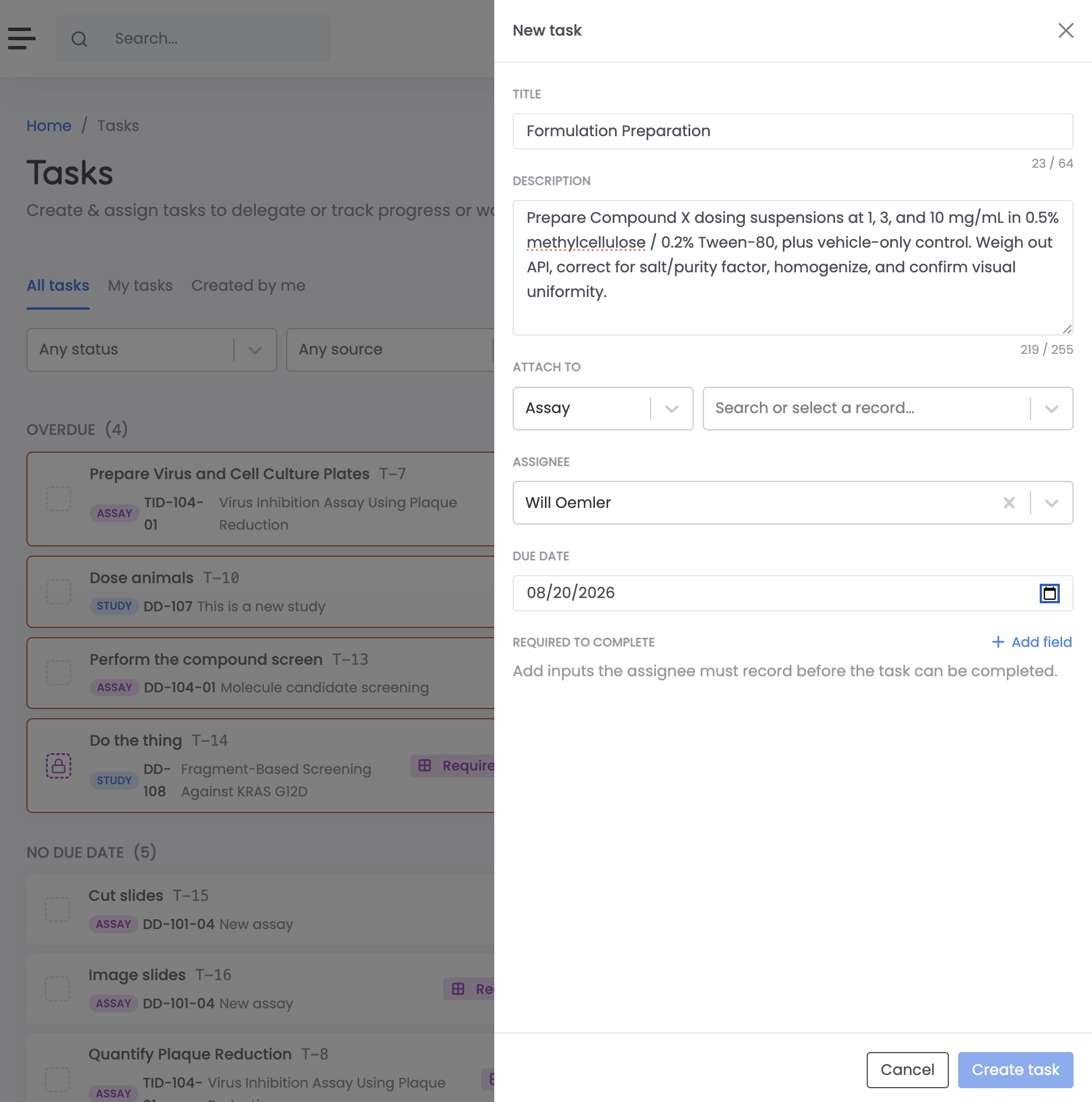
Click **New task** on the Tasks page, or add one from the Tasks tab of any project, study, or assay. Tasks can also be created inline while filling in the New Study or New Assay form.
You will be asked for:
* **Title** — what needs doing.
* **Description** — optional detail, protocol steps, or links.
* **Attach to** — the project, study, or assay the task belongs to. Prefilled when you create the task from a record.
* **Assignee** — optional. Leave it unassigned if anyone can pick it up.
* **Due date** — optional. Tasks with a due date are flagged as overdue once it passes.
Assigning a task notifies that person and puts it in their **My tasks** list. It does not lock the task: anyone with access to the parent record can still complete it.
Creating a new task
## Tasks that capture data
A task can be defined with **fields** that must be filled in before it can be closed. This turns a checklist item into a small record-keeping step — a reading to note, a batch number, a confirmation that a control passed.
When a task has required fields, the detail panel shows how many are still outstanding, and the completion button reads **Record & complete** rather than **Mark complete**. You cannot mark it done until every required field has a value.
This is how you make sure the information gets captured at the point the work actually happened, rather than reconstructed later.
A task that requires user information before completion
## Tasks from assay types
An [assay type](/managing-your-organization/assay-types.md) can define a list of default tasks. Every assay created from that type starts with those tasks already in place, so a standard protocol arrives as a ready-made checklist and gets recorded the same way every time.
{% hint style="warning" %}
If you change the assay type part-way through filling in the New Assay form, the newly selected type's default tasks may replace any tasks you have already added.
{% endhint %}